
Content repurposing: how to turn one long video into weeks of posts
A practical, step-by-step guide to turning podcasts, webinars and long videos into short clips for Reels, Shorts, TikTok and LinkedIn.
Read articleContent & video
Every podcast episode is full of moments that could reach new listeners — if they’re cut, captioned and shared the right way. Here’s a workflow you can repeat every week.
Keep a notepad and jot down the timestamp whenever something strong happens: a surprising opinion, a funny story, a clear tip or a great answer. This saves a lot of time later.
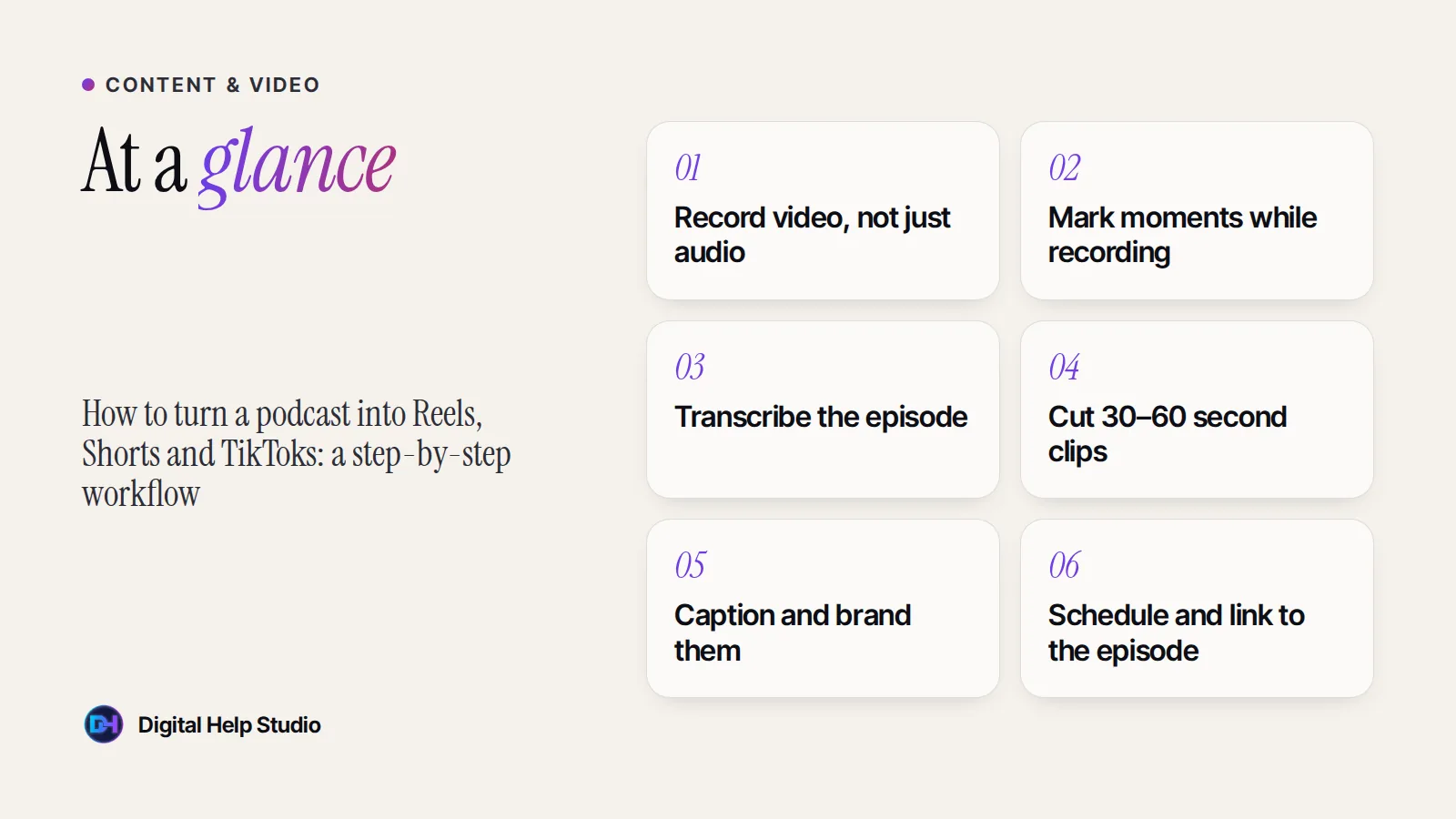
A transcript lets you scan an hour-long conversation in minutes. Many editing tools create transcripts automatically — just check them, especially names and technical terms.
A good clip makes sense to someone who hasn’t heard the episode. Look for:
Burned-in captions help people watching without sound. Add your show name or logo subtly, and keep text away from the edges where platform buttons appear.
Reuse the clip, but write a caption for each platform: conversational on Instagram and TikTok, more professional on LinkedIn, searchable on YouTube Shorts. Mention the full episode and where to find it.
Spread clips over the week rather than posting them all at once. Link to the full episode from your bio, the description, or your website’s episode page.
| Day | Post |
|---|---|
| Monday | Full episode goes live (audio + YouTube) |
| Tuesday | Clip 1 — the strongest hook |
| Wednesday | Quote graphic or carousel on the main idea |
| Thursday | Clip 2 — a practical tip |
| Friday | Clip 3 — a story or opinion |
| Weekend | Behind-the-scenes Story or a question for your audience |
This is exactly what my content repurposing service does, and I can publish the clips through social media management and YouTube channel management.
Your podcasts, webinars and long videos turned into short, captioned clips for Reels, Shorts, TikTok and LinkedIn.
See the service
Brijaditya Sharma is the founder of Digital Help Studio. After nine years in-house handling content distribution for an Indian brand, he now builds websites and runs digital marketing for small businesses worldwide. Connect on LinkedIn.
Start with three to five of the strongest moments. It’s better to post a few great clips than many weak ones.
Yes — use an audiogram style with a waveform, captions and your cover art, although video clips usually perform better.
You should always tell guests how their appearance will be used and get their agreement, ideally in writing.
Keep reading
A practical, step-by-step guide to turning podcasts, webinars and long videos into short clips for Reels, Shorts, TikTok and LinkedIn.
Read article
How AI digital twins work, where they help small businesses, where they don’t belong, and how to disclose AI video honestly.
Read article
Seven common problems that quietly cost small businesses trust and enquiries — and simple fixes for each one.
Read articleYour next step
Send me your business details or your Instagram link. I’ll build a free, personalised website demo — no payment, no obligation.